Enterprise Multi-Agent Slack Assistant
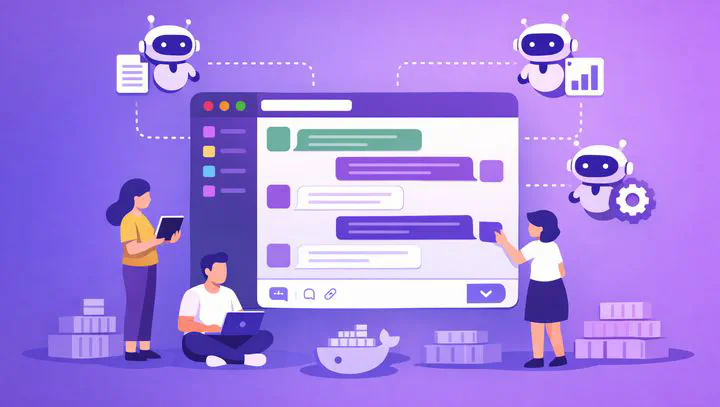
A multi-agent AI platform embedded in Slack that automates high-demand internal processes — document generation, credit-line increases, and assignment workflows — using Google ADK for agent orchestration, GPT-4.1 models for reasoning, and Azure Container Apps for serverless execution.
Project Overview
Internal teams — especially the Risk department — were overwhelmed by repetitive, time-consuming processes that required cross-area coordination: generating templated documents that depend on database lookups, evaluating credit-line increase requests from ticket data, processing line assignments, and reviewing pending balances against unregistered deposits.
Since Slack was already the company’s primary workspace, the project embedded an intelligent multi-agent assistant directly into it. Employees simply mention the bot in any channel, describe what they need in natural language, and the system orchestrates the appropriate AI agent to handle the request — querying databases, running evaluations, and returning results as threaded Slack messages or PDF documents.
Architecture
High-Level Flow
Infrastructure
- Azure Container App — Serverless deployment without the execution-time constraints of Azure Functions. This was critical because agent reasoning chains and database queries can take significant time. It also allows installing custom libraries and maintaining a structured codebase.
- FastAPI — Serves as the webhook receiver for Slack events and the HTTP layer managing request/response cycles.
- Slack Webhook — Configured to trigger only when the bot is mentioned, preventing unnecessary invocations and keeping conversations contextual.
Response Flow
- A user mentions the bot in a Slack channel or thread.
- The Azure Container App receives the webhook and sends an intermediate message to Slack (e.g., “Processing your request…”).
- The request is forwarded to the ADK orchestrator agent.
- The orchestrator routes to the appropriate sub-agent.
- The sub-agent may ask follow-up questions back in the Slack thread if information is missing.
- Once complete, the result is posted as a threaded reply — either as text or a generated PDF document.
Agent Architecture
The system uses Google’s Agent Development Kit (ADK) to implement a hierarchical agent orchestration pattern with session memory and external tool integration.
Agent Hierarchy
| Agent | Role | Model |
|---|---|---|
| Orchestrator | Routes incoming messages to the correct sub-agent based on intent | GPT-4.1 mini |
| Promissory Notes Agent | Generates legal documents from templates, querying the database for required fields | GPT-4.1 |
| Line Assignment Agent | Processes credit-line assignment requests through the evaluation workflow | GPT-4.1 |
| Line Increase Agent | Evaluates increase requests based on ticket data and risk criteria | GPT-4.1 |
Agent Design Principles
- Conversational sub-agents — Each sub-agent has clear instructions in its prompt defining when and how to ask the user for missing information. The conversation continues within the Slack thread until all required data is gathered.
- Function calling via .md specs — Each sub-agent’s available tools are defined in markdown files that describe the function signatures, parameters, and expected behavior — serving as both documentation and function-calling schemas.
- Return to orchestrator — Once a sub-agent completes its task, control returns to the orchestrator, which can route subsequent messages to a different agent if needed.
Standardized Folder Structure
The codebase was organized for easy expansion — adding a new agent means creating a new folder following the established pattern:
agents/
├── orchestrator.py
├── tools/
│   └── shared_utils.py
└── sub_agents/
    ├── promissory_notes/
    │   ├── agent.py
    │   ├── prompt.md
    │   └── tools/
    │       ├── db_queries.py
    │       └── pdf_generator.py
    ├── line_assignment/
    │   ├── agent.py
    │   ├── prompt.md
    │   └── tools/
    │       └── assignment_engine.py
    └── line_increase/
        ├── agent.py
        ├── prompt.md
        └── tools/
            └── evaluation_pipeline.py
Session Memory
Session memory was stored in-memory (RAM) per area request, capturing both the conversation history and extracted key information from each interaction. This allowed the assistant to maintain context across multiple exchanges — even across different days — so employees didn’t need to repeat themselves.
A migration to a vector database for persistent memory was planned to survive container restarts and enable cross-session knowledge retrieval, but was not implemented during this phase.
External Integrations
Beyond the core agent logic, the platform also leveraged Dify — a low-code orchestration tool similar to N8N — for specific sequential workflows that didn’t require the full agent reasoning loop. These drag-and-drop pipelines handled deterministic, step-by-step processes without consuming agent compute resources.
Results & Lessons Learned
The system was deployed to production and successfully automated several high-demand workflows for the Risk team. However, production usage revealed challenges:
- Slack thread processing caused duplicate messages when multiple webhook events fired for the same interaction.
- The assignment and line-increase agents occasionally confused user messages in threaded conversations, leading to misrouted requests.
The system was kept under active observation for iterative improvements. Key takeaways:
- Slack’s threading model requires careful deduplication logic at the webhook layer.
- Agent routing accuracy improves significantly with stricter intent-classification prompts and conversation state tracking.
- In-memory session storage, while fast, creates fragility in serverless environments where containers can be recycled.
Tech Stack
| Layer | Technology |
|---|---|
| Interface | Slack API (Webhook) |
| Compute | Azure Container Apps (Serverless) |
| Framework | FastAPI (Python) |
| Agent Orchestration | Google ADK |
| LLM (Router) | GPT-4.1 mini |
| LLM (Agents) | GPT-4.1 |
| Workflow Automation | Dify |
| Storage | Internal Databases, In-Memory Session Store |
Conclusion
This project demonstrated that embedding AI agents directly into the tools employees already use (Slack) dramatically lowers the adoption barrier for automation. The hierarchical agent architecture — with a lightweight router and specialized sub-agents — proved effective for handling diverse business processes within a single conversational interface. The lessons learned from production deployment, particularly around Slack event deduplication and agent routing precision, provide a clear roadmap for the next iteration.